2014年3月19日水曜日

Adobe Revel for Android

 映像アプリといえば、Adobe は外せませんね。
   (Speaking of the video app, Adobe is not indispensable.)
 Adobe Photo Shopは有名ですが、PhotoShopで加工した映像を保存・共有するアプリ「Adobe Revel」のAndroid版アプリがでました。
   (Adobe Photo Shop is famous,  the Apps for stored and shared the images were processed in PhotoShop is released for Android)
 AdobeのAppは、iOSと比べるとAndoroidは数が少ないので嬉しい追加ですね。
   (Adobe App for Android is less than for iOS, so this app is released is good for Android user. )


 こちらがAppの説明です。
Google翻訳を使えば日本語でも理解できます。
個人的にはPicasaやFlickerのAdobe版という印象です。
   (This is the description of the App. You can understand in Japanese if you use Google Translate. This app is similer to Flicker and Picasa.)

 AndroidのPhoto Shopの共有項目にも「Adobe Revel」が表示されるようになりました。


以下はAppをインストール後、最初に立ちあげた時にでてくる画面です。
(After installing the App, you can see the screen as follows,)


AdobeIDのほか、Google+やFacebookでもログインできます。
(You can log-in AdobeID,Google+,Facebook.)
ログイン後の画面がコチラです。
(This is a screen after log-in.)

以下の画像のとおり簡単なチュートリアルも表示されます。
(You can see the simple tutorial as follows.)


 上記写真のボタンをタップすると下記の写真のように端末内の写真の自動アップロードが始まります。
   (Automatic upload of photos in the gadget will start as shown in the picture below when you tap the button.)

アップした写真をアルバム毎に整理もできます。
(You can also organize the photo each album you up.)

お気に入り写真も別に整理できます。
(You can also organize by your favorite photo.)

友達と共有するためのフォルダも作れます。
(You can also create folders for sharing with friends.)

Photo Shopと連動して何ができるかもう少し研究してご報告したいと思います。

2014年3月18日火曜日

春小町 @ 柳月〜Seasonal Rice Cake for Spring

 北国も日中の気温がプラスになり、雪解けが進み、春の到来を予感させる季節になってきました。
 (Temperature during the day is also a plus in the northern part of Japan, snow thaw progresses, it has become the season to be feeling the arrival of spring.)
 この冬から春への変わり目の時期の陽の光は、いつにも増して嬉しくなります。
 (Sunshine, which showers to me in the spring, will be pleased to than ever from winter.)

 ということで、「春よこい、早く来い♫」と口つざみながら頂くのにピッタリの一口菓子、柳月の「春小町」のご紹介です。
 (t is the introduction of perfect bite confections, "Spring Girl", that is fit to Japanese spring song.) 

コチラがパッケージです。
(This is a package.)

開封すると、こんな可愛い一口サイズのお餅菓子が顔をだします。
(After opening you can see the face of sweets as follows.)

 断面はこんな感じです。
(This is cross section.)

モチモチとした食感の中に、ほのかに桜を感じさせるジューシー感がありました。
(In the texture of the rice cake, there was a sense of juicy cherry.)
あっという間に胃袋に納まるのがちょっと寂しいですね(笑)
(It is a little lonely it's fit in the stomach in no time)

2014年3月17日月曜日

季節のシュークリーム@柳月〜Seasonal Cream Puff

最近、柳月は季節ごとにシュークリームを出してます。
(Recently, "Ryugetsu" has sold a cream puff every season.)

コチラは「春のいちごみるくシュー」です。
(This is "Strawberry Milk shoe for Spring".)

 コチラは断面です。
(This is the cross section the shoe.)
下半分がいちごミルク味となってます。
(Lower half is a strawberry milk taste.)

 柳月は秋には「ティラミスシュー」を出してましたね。
("Ryugetsu" has sold a "Tiramisu" taste cream puff last fall.)


次は端午の節句のあたりで季節のシュークリームがだされるかもしれませんね。
(Next seasonal cream puff might sell in the Boys' Festival.)

2014年3月16日日曜日

画像加工アプリ "Pixlmator for Mac"

 先日Android App「Pixlr Express」をご紹介しましたが、今回はMac用の「Pixelmator」をご紹介します。
   (Before introducing "Pixlr Express" for Android App, today I introduce "Pixelmator" for mac.)
 「Pixelmator」はMac用なのでかなり本格的な加工ができます。
   ("Pixelmator" can work full-fledged because it is for mac. )
 AdobeのPhotoshopまで本格的ではありませんが、素人が趣味の範囲で使うのには十分なレベルのアプリだと思います。
   ("Pixelmator" is not as full-scale copare with "Adobe Photoshop", but it is enough for an amateur to use it as a hobby.)


 アプリを立ち上げるとiCloudの画面が立ち上がりますので、自宅のiMacで作成中のファイルをiCloudに保存して、外出先でMacBookAirで編集の続きをするなんてこともできます。
  ("Pixelmator" is corresponding for iCloud, so you can use it on iMac in your house and also continue to use on MacBook Air in the outside.)


最初に加工する写真のサイズをセットします。
(Set the size of the photo to be processed first.)
  後は下の写真の白い部分に加工する写真を挿入し、左側の各種アイコンを使って様々な加工をしていくことになります。
   (You may have to insert a photo to be processed in the white areas of the photo below, to go to the various processing using various icons on the left after.)

 使い方は「ヘルプ」を参照すれば理解できます。なお「ヘルプ」が英文ですがGoogle翻訳を活用すれば概ねの意味は理解できると思います。
   (You can understand more readily by reference to the "Help" how to use. The "help" is the meaning of English but generally can be understood by the use of Google Translate.)
 Mac用のアプリなので、基本は直感的に操作してもなんとかなると思います。
   ()
 また「ヘルプ」にはチュートリアル動画が豊富にあるので、英文を読むのが面倒な方は、これらをご覧いただければ、概ね使い方はわかると思います。
    (In addition, because there is a wealth of tutorial videos to "help", if you can see them, the more troublesome to read the English text, and understand how to use generally.)


「Pixlmator」の概要は次の動画をご欄いただければご理解いただけると思います。
(You can understand if you watch the next video overview of "Pixlmator".)


2014年3月15日土曜日

春なんしぇ@柳月〜Spring Financier

春の到来を感じさせる柳月の新製品「春なんしぇ」、名前が面白いですね。
   (「Hrunanshe」which is word over "Spring has come" is new products of "Ryugetsu that is in Hokkaido, nothern part of Japan", the name is interesting.)


「春なんしぇ」の解説が裏蓋についてます。
(There is a explanation of 「Harunanshe」on the back cover.)

中身は4個入りです。
(There are 4 packages in a box.)


 パッケージを開けると中からこんあフィナンシェが顔をだします。
(You can find this financier when you open the package.)

春と桜を感じさせるお味です。
(The taste let you feel spring and cherry.)

箱のデザインも春らしく素敵ですね。
(The box design is good because of spring feel.)


2014年3月13日木曜日

写真加工アプリ「Pixlr Express」〜Photo Editor "Pixlr Express"

Androidでの写真加工アプリは「Pixlr Express」を使ってます。
(I use "Pixlr Express" as a photo editor on the  Android.)


アプリを立ち上げると最初にこの画面となります。
(This is a first view when you start to use this app.)
写真の加工をするのであれば真ん中の「写真」をタップします。
(If you want to editor a photo, tap on the center button "Photo". )

次に画面下に各種加工用のアイコンが登場します。
(Next some icons for editing appers on the bottom )

各アイコンをタップすると各種フィルターなどが表示されます。
(After tapping the each icon, some filters appears.)


 加工が終了した後は、右上の「保存」をタップすると「共有(SNSなどでシェア)」「ギャラリー(端末内に保存)」が表示されるので、お好みの方法で保存します。
   (After editing you tap on the button located at right side of above, you can save the photo on the gadget or SNS.)

保存するサイズも選択できます。
(You can also select a photo size.)

無料でここまで機能がついてる大変便利でお得な写真アプリです。
(This is a very convenient app instead of free.)

i-tunesストア「今週の映画」が100円


Appleのi-Tunesストアに「今週の映画」というバナーを発見しました。
(I find the banner "the movie for this week" on the iTunes.)
 Appleのスタッフがおすすめする映画をその週は100円でレンタルできるようです。
(The movie apple stuff recommend you can lent only 100 Japanese yen.)
この値段ならレンタル・ビデオ店に行く手間が省けますね。
(It eliminates the need to go to the video rental store if this price.)


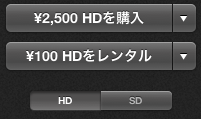
HDでも100円でレンタルできるのはお得ですね。
AppleTVがあればテレビの大画面でも綺麗にみることができますね。
   (You can rent them at 100 yen even HD is It is deals. You can watch the movie in a big TV screen if there is AppleTV.)

 今週は「ワン・エイティ・サウス」というパタゴニアとノースフェイスの創設者の物語のようです。
(The story is about the founders of the North Face and Patagonia,the title is  "180 South" this week.)